Step 1: Create a device group
In this scenario, we are going to create a group of all of the devices in our Boston data center and schedule a nightly backup that archives a copy off to our archive for DR purposes.
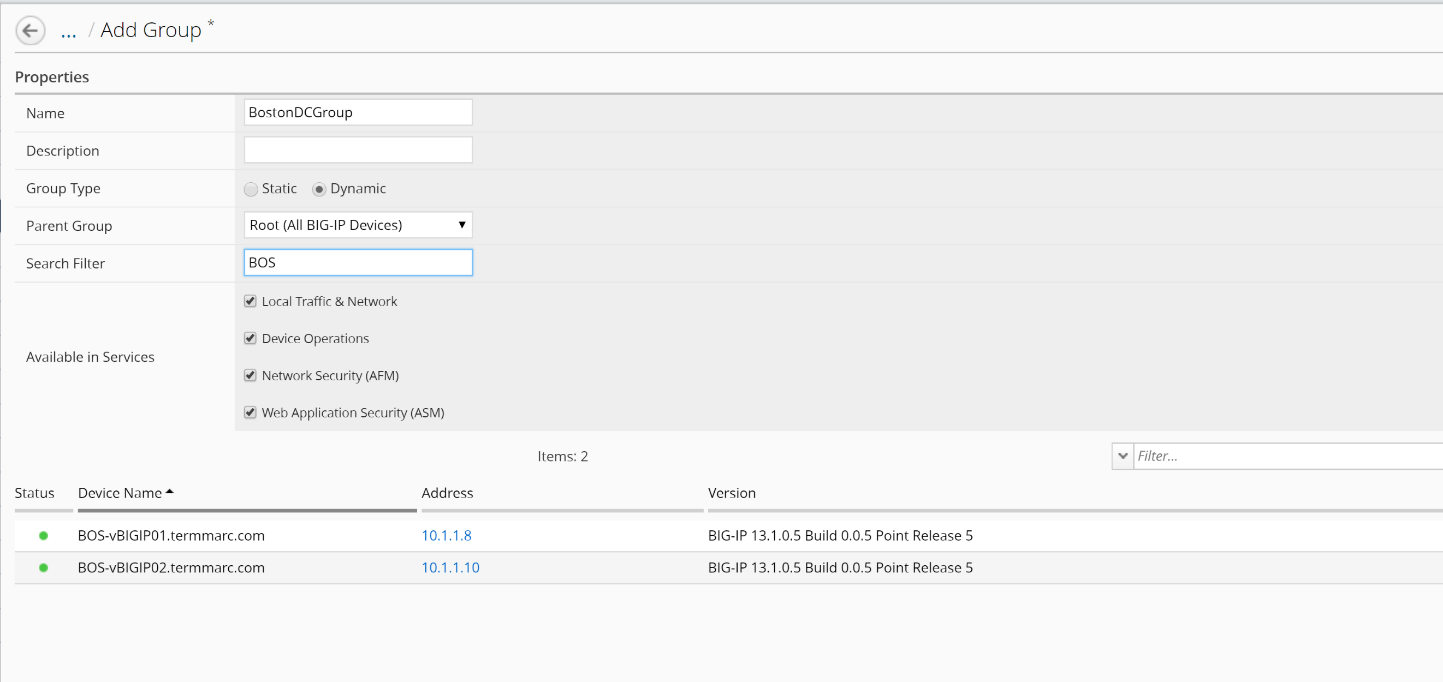
First, we need to create the group for our backup schedule to reference. We have two options in BIG-IQ: static groups, where devices are added and removed manually and dynamic groups, where devices are selected from a source group based on filter criteria. In this lab setup, the devices have BOS in the name to indicate that they are in the Boston data center. This makes the dynamic group the logical choice.
- On the top menu bar, select Devices from the BIG-IQ menu.
- Click Device Groups in the left-hand menu
- Click Create in the main pane
- Complete the settings to create the group.
| Name | BostonDCGroup |
|---|---|
| Group Type | Dynamic |
| Parent Group | Root (All BIG-IP Devices) |
| Search Filter | BOS |
Click the Save & Close button to save the group.