Module 1: Create personas in BIG-IQ for Application Deployment
We will be using 4 main personas for this lab:
- Marco: Full Administrator
- David: Super-NetOps
- Larry: Application Security Manager
- Paula: Application Manager
Marco will have full access to BIG-IQ. He knows a lot about F5 products (BIG-IQ/BIG-IP). He will provide the access to David, Larry and Paula. He will also manage the Service Scaline Group (SSG) and application templates.
Larry will manage the Web Application Firewall (WAF) policies. He will work with Paula’s team to define the necessary security policies for each applications. Ensure teams comply with security policies, industry rules and regulations, and best practices. Keeping up to date on threats, determining their potential impact, and mitigating the risks.
Paula will manage the application deployments, monitor levels of app incidents, building solutions to address identified, prioritized business problems in a timely manner. Maximizing value of app through capabilities design, adoption, and usage. Ensuring that the app fits within the rest of the organization’s app portfolio strategy.
David will try automating whenever possible, to enable efficiency and ability to solve problems at scale. Automate common network patterns that the other teams can consume. Automate existing environment management and troubleshooting tasks.
Note
Marco, Paula and Larry are already created in the blueprint, so only the david user needs to be created.
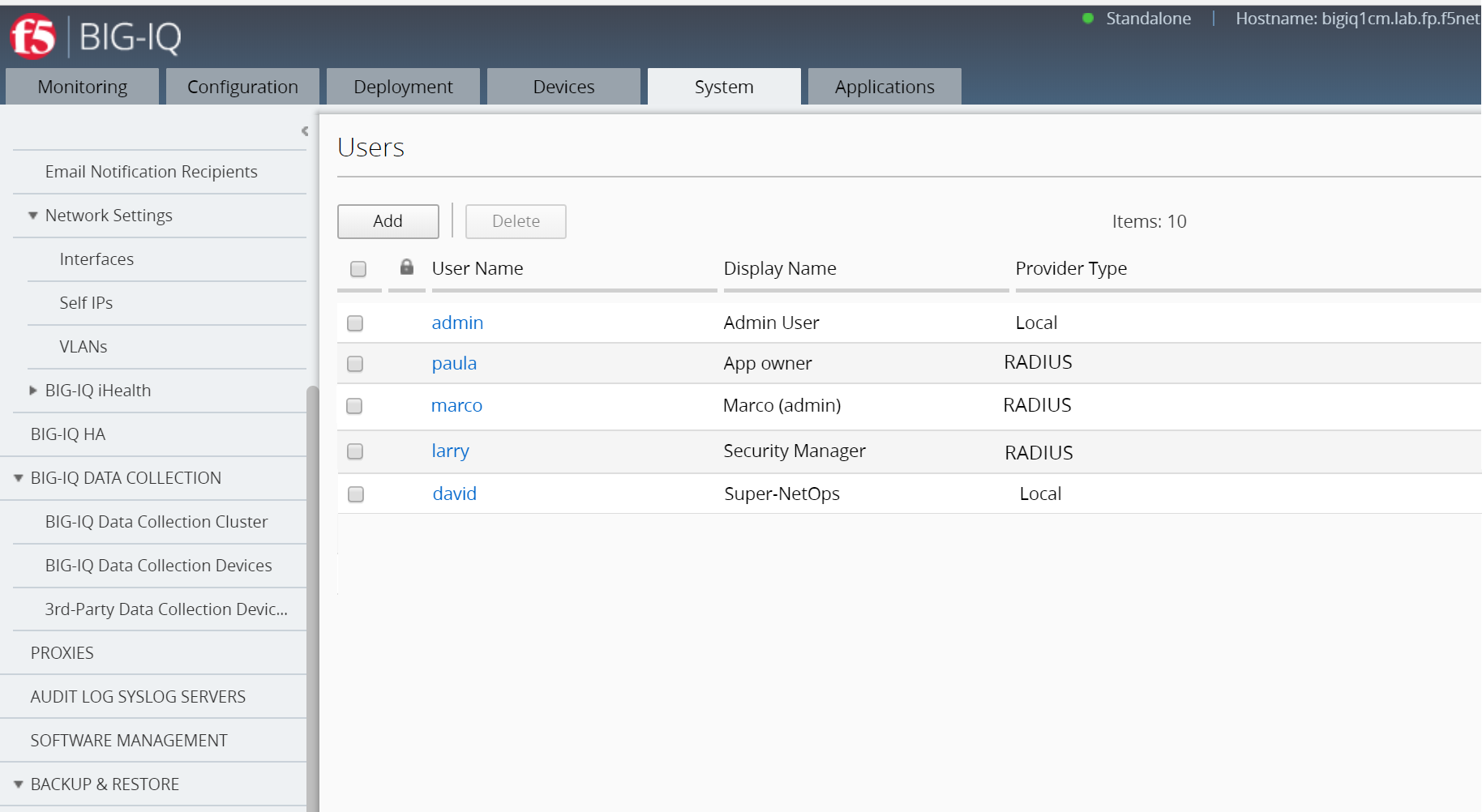
Connect to your BIG-IQ as admin and go to: System > Users Management > Users and verify each user & role below and change where needed.
1. Marco: Full Administrator
- Auth Provider = Radius
- User Name = marco
- Full Name = Full Administrator
- (Password stored in Radius server = marco)
- Role = Administrator Role
2. Larry: Application Security Manager
- Auth Provider = Radius
- User Name = larry
- Full Name = Application Security Manager
- (Password stored in Radius server = larry)
- Role = Security Manager
3. Paula: Application Manager
- Auth Provider = Radius
- User Name = paula
- Full Name = Application Manager
- (Password stored in Radius server = paula)
- Role = Application Editor
4. David: Super-NetOps
Click on Add
- Auth Provider = local
- User Name = david
- Full Name = Super-NetOps
- Password = david
- Role = Administrator Role
Click on Save & Close